Read your email in a web browser
Check your email from any computer at webmail.confluxus.co.uk, without setting anything up.
You do not have to set anything up to read your email. Any browser, on any computer or phone, will do.
Sign in
Go to webmail.confluxus.co.uk.
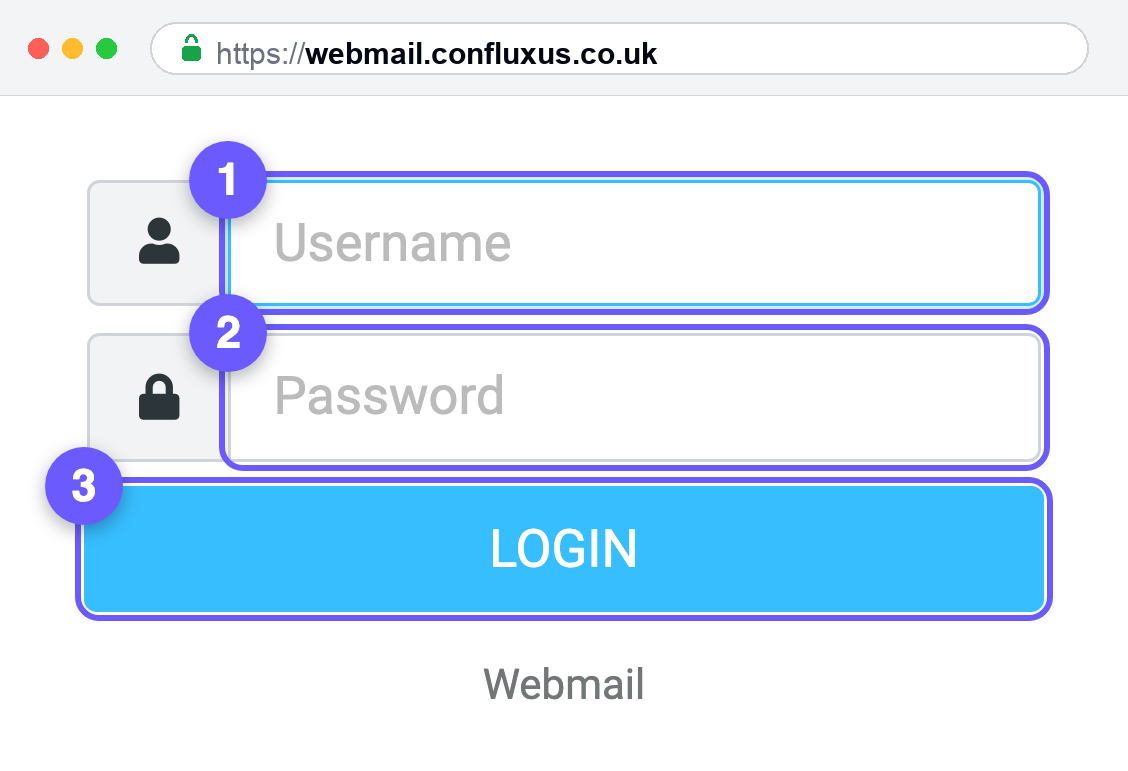
- Username — type your full email address, including the part after the @ symbol.
- Password — your email password.
- Press Login.
The box says Username, but it wants your whole email address.
jo@example.co.uk, notjo. This catches nearly everyone the first time.
Bookmark the page once you are in. There is no separate web address for your
own domain — webmail.confluxus.co.uk is the one to save.
Is this the same as the email on my phone?
Yes. It is the same mailbox, so it is the same messages. Read something in the browser and it shows as read on your phone as well.
Webmail is best for a borrowed computer, or a quick check when you are away from your own devices. For day-to-day use, set your email up properly in an app — it is faster and works offline. See Your email settings for how.
What you can do here
- Read, write, reply and forward
- Organise mail into folders
- Keep a contacts list
- Set a signature — Settings → Identities, then click your address
- Set an out-of-office reply — Settings → Vacation, with a start and end date. It can take up to 30 minutes to switch on, so set it before you leave rather than on the way out of the door
- Sort incoming mail automatically — Settings → Filters
- Change your password — Settings
- Switch between light and dark, bottom left
What you cannot do here
Forward all your mail somewhere else. Automatic forwarding is set up on the hosting side, not in webmail. Ask us and we will do it for you.
Reset a forgotten password. There is no "forgot password" link on the sign in screen. If you cannot get in, contact us and we will issue you a new one.
Limits worth knowing
| Largest message you can send | 50 MB in total, so keep attachments under about 35 MB |
| Most recipients on one email | 100 |
For anything bigger, send a link rather than a file. For anything wider than 100 people, talk to us first — bulk sending from a normal mailbox gets that mailbox marked as spam.
If you cannot sign in
"Login failed"
Nine times out of ten the username is short. Type the whole address, including
@yourdomain.com.
The password looks right but is refused
Type it into a blank document first so you can see it, then copy and paste it in. Phone keyboards capitalise the first letter, and that is enough to fail.
The page will not load at all
Check you are on webmail.confluxus.co.uk and not webmail.yourdomain.com. The second
one is not set up by default and, on some domains, quietly shows your own
website instead.
Did this not work?
Tell us what happened at hello@confluxus.co.uk. Mentioning which step you reached saves us both a round of questions.